Track Information
Description
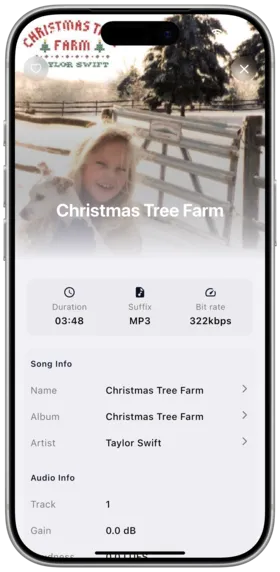
View detailed metadata for the currently playing track, including format, bitrate, sample rate, file size, and path.
How to Use
- In the player or song list, tap a track to enter its detail page
- View complete track information:
- Audio format (MP3, FLAC, AAC, OGG, etc.)
- Bitrate and sample rate
- File size
- File path
- The outer ring on the play button shows the current decode progress
Daoliyu Metadata Editing
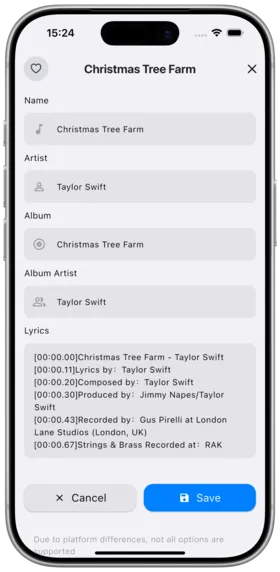
New in v1.2.1: Daoliyu platform supports editing track metadata directly in the app.
How to Use:
- Go to the track detail page
- Scroll to the bottom and tap the "Edit" button
- Edit track title, artist, album, and other info
- Save changes — metadata syncs to the server
Supported Metadata Fields
| Field | Description |
|---|---|
| Track Title | Edit the song name |
| Artist | Edit artist information |
| Album | Edit the album |
| Cover | Update album cover art |
Notes
- Track info display depends on metadata provided by the server
- Metadata editing is only available on the Daoliyu platform
- Decode progress is a labs feature to help gauge playback smoothness
- Audio quality display is optimized with support for various format indicators
Use Cases
- Check whether a track is lossless
- Troubleshoot playback issues via audio info
- Daoliyu users: fix incorrect track metadata
Related Documents
Copyright
License under:Attribution 4.0 International (CC-BY-4.0)