Playback Queue Management
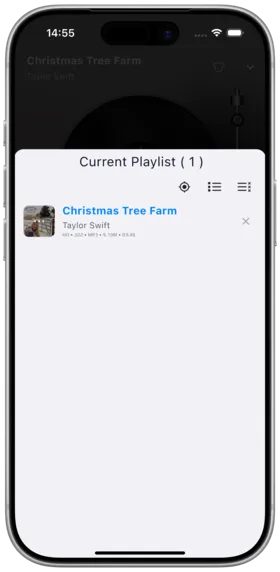
Description
Manage songs in the current playback queue — add, remove, reorder, and more.
How to Use
View Queue
- Swipe up in the full-screen player, or tap the queue icon on the mini player
- View all songs in the current playback queue
Queue Operations
| Operation | Description |
|---|---|
| Add to Queue | Append a track to the end of the queue |
| Play Next | Insert after the current track for priority playback |
| Play Later | Add to the end of the queue |
| Remove | Remove a specific track from the queue |
| Sort | Drag to reorder manually |
| Quick Locate | One-tap jump to the currently playing track |
Notes
- Modifying the queue does not affect the original playlist
- The queue is only saved for the current session (persistence from v1.0.19+)
- Queue order may change in shuffle mode
Use Cases
- Temporarily insert songs you want to hear
- Dynamically manage playback order at parties
- Clean up unwanted tracks
Related Documents
Copyright
License under:Attribution 4.0 International (CC-BY-4.0)