Sleep Timer
Description
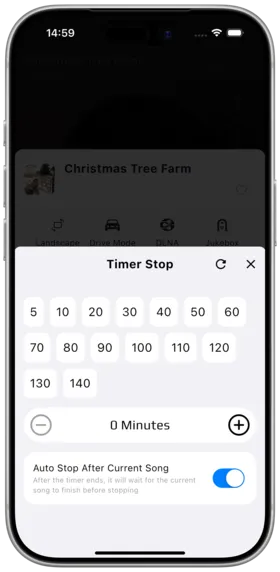
The Sleep Timer automatically pauses or stops playback after a set duration, perfect for bedtime listening and saving battery.
How to Use
- Enter the full-screen player
- Find the "Sleep Timer" button
- Select a preset time or custom duration
- Playback stops automatically when the countdown ends
Preset Options
| Option | Description |
|---|---|
| 15 minutes | Quick nap |
| 30 minutes | Lunch break |
| 45 minutes | One class period |
| 60 minutes | Standard one hour |
| Custom | Manually enter minutes |
Notes
- The sleep timer countdown continues even in the background
- Playback automatically pauses when the timer expires
- Manually resuming playback clears the timer setting
- Sleep timer does not affect system alarms
Use Cases
- Auto-stop music before sleep to protect hearing
- Timer for lunch break music
- Save phone battery
Related Documents
Copyright
License under:Attribution 4.0 International (CC-BY-4.0)