Android Auto
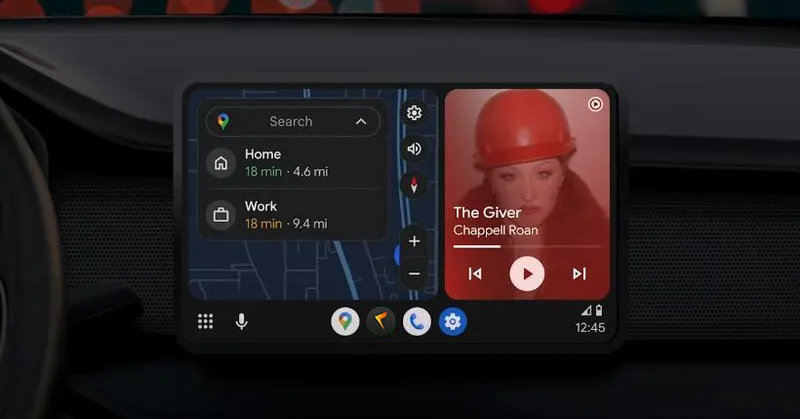
Description
Amcfy Music supports Android Auto, allowing you to control music playback safely and conveniently while driving.
Feature Overview:
- Display Amcfy Music interface on the car screen
- Browse songs, albums, artists, and playlists
- Control playback (play/pause, next/previous)
- Show currently playing song info
Core Functions
- ✅ Song browsing and search
- ✅ Playback controls
- ✅ Album and artist browsing
- ✅ Favorites support
- ✅ Audiobook support
How to Use
- Ensure Android Auto app is installed on your phone
- Connect to the vehicle via USB or wirelessly
- Find Amcfy Music in the Android Auto interface
- Start browsing and playing
Notes
- Android Auto requires Android 7.0 or later
- Some Chinese phone brands (vivo/OPPO/Meizu, etc.) may require additional background permission settings
- Notification bar controls may have compatibility issues with some systems
- Jovi InCar (vivo) support is in planning
Use Cases
| Scenario | Description |
|---|---|
| Commute Music | Dedicated music experience during commutes |
| Audiobook Driving | Listen to audiobooks on long drives |
| Voice Control | Use Google Assistant for voice control |
Related Documents
Copyright
License under:Attribution 4.0 International (CC-BY-4.0)