Playback Mode Settings
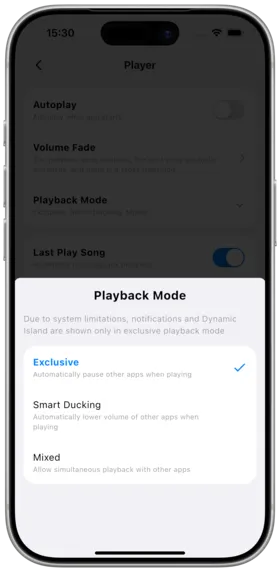
Description
Configure how Amcfy Music interacts with the system and other apps' audio.
How to Use
Go to Settings → Player → Playback Mode
Three Modes
| Mode | Description |
|---|---|
| Exclusive | Amcfy Music takes exclusive audio output |
| Smart Avoidance | Automatically lower volume when other apps play audio |
| Mixed | Mix with other app audio output |
Notes
- "Smart Avoidance" is recommended for in-car use
- Music volume automatically lowers during navigation voice prompts
- Desktop defaults to Mixed mode
Use Cases
| Scenario | Recommended Mode |
|---|---|
| Daily listening | Exclusive |
| Driving with navigation | Smart Avoidance |
| Gaming background music | Mixed |
Related Documents
Copyright
License under:Attribution 4.0 International (CC-BY-4.0)